Issue 07 • Seating field guide
Room to move is the feature.
A practical reading method for wide office-chair seats, tucked legs, and the desk constraints that determine whether a position is usable. Start with this wide-seat office chair comparison, then apply the fitting checks below to your own desk.

01 / Start with usable room, not a marketing number
A wide seat can make cross-legged desk sitting feel less compressed, but the useful measurement is the room left after your hips, clothing, and the chair’s side bolsters take their share. Before comparing models, use a detailed wide-seat comparison as a shortlist, then turn its listed dimensions into a personal check. A published width can be measured at the shell, the foam, or the broadest point; those are not interchangeable. What matters is the flatter, supportive area where you would actually place a folded leg.
I treat the first sitting as a mapping exercise rather than a verdict. Sit normally, then move one foot onto the seat without twisting hard at the knee. Notice whether the leg settles on cushion or gets pushed against an arm, an upswept edge, or an aggressive lumbar frame. A chair does not need to invite one fixed cross-legged shape all day. It needs enough neutral room that you can change position without perching on the edge or losing control of the backrest.
The desk has a vote too. A broad chair may bring you farther from the keyboard if its armrests cannot slide under the work surface. If you compensate by reaching, the extra cushion room becomes less useful. Measure the height from floor to desktop, the armrest range, and the distance from your back to the keys in a normal seated position. A wide seat is most helpful when it preserves a close, relaxed working reach.
02 / Read the cushion as a surface, not a pillow
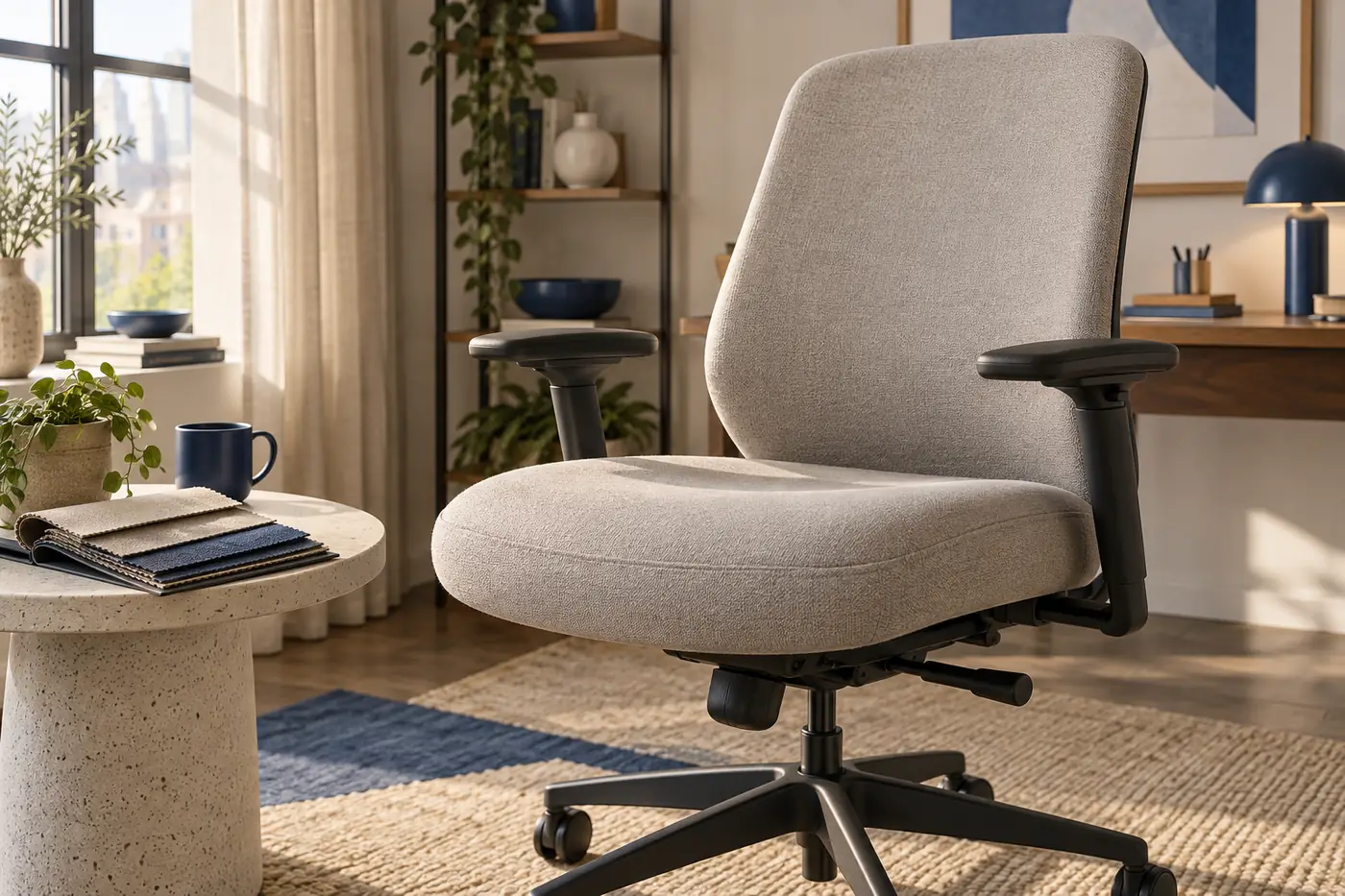
Cross-legged sitting spreads load differently than feet-on-floor sitting. One shin or ankle may meet the front half of the cushion, while the other leg puts pressure nearer the side. Very sculpted foam can feel organized in a showroom but leave few level places to reposition. Look for a generous central platform, a front edge that does not sharply press into the lower leg, and enough resilience that a folded leg does not sink into a hard rim.
Softness alone is not a solution. A seat that collapses under a shifted hip can pull the pelvis backward and make the backrest feel distant. A firmer foam layer under a modestly cushioned top often provides a more predictable base for short posture changes. The aim is not to endorse a particular material; it is to test whether the surface stays calm when your weight moves away from the centerline.
Give the chair several minutes before calling the shape comfortable. Shift from both feet down to one folded leg, then return to both feet down. If the front edge catches, if the side bolster traps your thigh, or if you need to use an armrest for balance, record that as a fit signal. These small movements tell more than a single upright pose under showroom lighting.
03 / Let adjustment range serve movement
Seat height, depth, tilt tension, and arm position do not need to be adjusted every time you cross a leg. They do need to leave you options. Start by setting a normal working height where your shoulders stay relaxed and your elbows can reach the keyboard without lifting. Then test whether a small tilt or recline change lets you settle without sliding forward. If it does not, the chair may be asking one mechanism to solve a surface-shape problem.
Seat-depth sliders deserve attention because a deep pan can be excellent for a long-legged upright posture yet cumbersome when you tuck a leg under. A modest depth change can clear the back of the knee and make it easier to return to a feet-down position. Use the slider as a way to create temporary room, not as a reason to remove all thigh support. The best setting is the one that still feels stable when you uncross and stand.
Armrests can either frame the position or interfere with it. Adjustable arms that lower, pivot inward, or move back give more choices at a desk. Fixed arms are not automatically wrong, but they deserve a full test with the chair close to the desk. If your tucked knee meets the arm before you can work comfortably, a paper measurement will not make that conflict disappear.
04 / Compare chair types by behavior
A broad upholstered task chair often gives the most forgiving contact surface, especially when its edges are rounded and its armrests are adjustable. A mesh chair can feel cooler and responsive, but a steep front frame or narrow side rails may limit where a folded leg lands. Armless office chairs remove one obstacle but ask the seat and back to provide enough stability without the extra side reference of an arm.
Executive-style chairs sometimes offer a generous visual footprint while giving away usable room to thick bolsters. Compact ergonomic chairs may look narrower yet have a flatter seat that accepts a range of positions. This is why a comparison should name construction traits rather than assume that a category guarantees a feeling. The table below is a planning tool, not a ranking or a substitute for a return policy.
Swipe or scroll the table to compare all columns
| Chair behavior | Possible advantage | Check before buying |
|---|---|---|
| Flat wide cushion | More places to reposition a folded leg | Measure the usable flat area, not the shell |
| Contoured foam | Can support a neutral feet-down position | Test whether bolsters press the leg when tucked |
| Adjustable arms | Can clear the desk or change lateral room | Check low, narrow, and rearward positions |
| Seat-depth slider | Lets you alter room behind the knee | Confirm support remains when you stand and return |
| Balanced tilt | May make small posture changes feel less forced | Try it with normal desk reach, not reclined only |
| Predictable casters | Supports a stable return to feet-down work | Test against your floor and rug conditions |
05 / Make the desk setup change with you
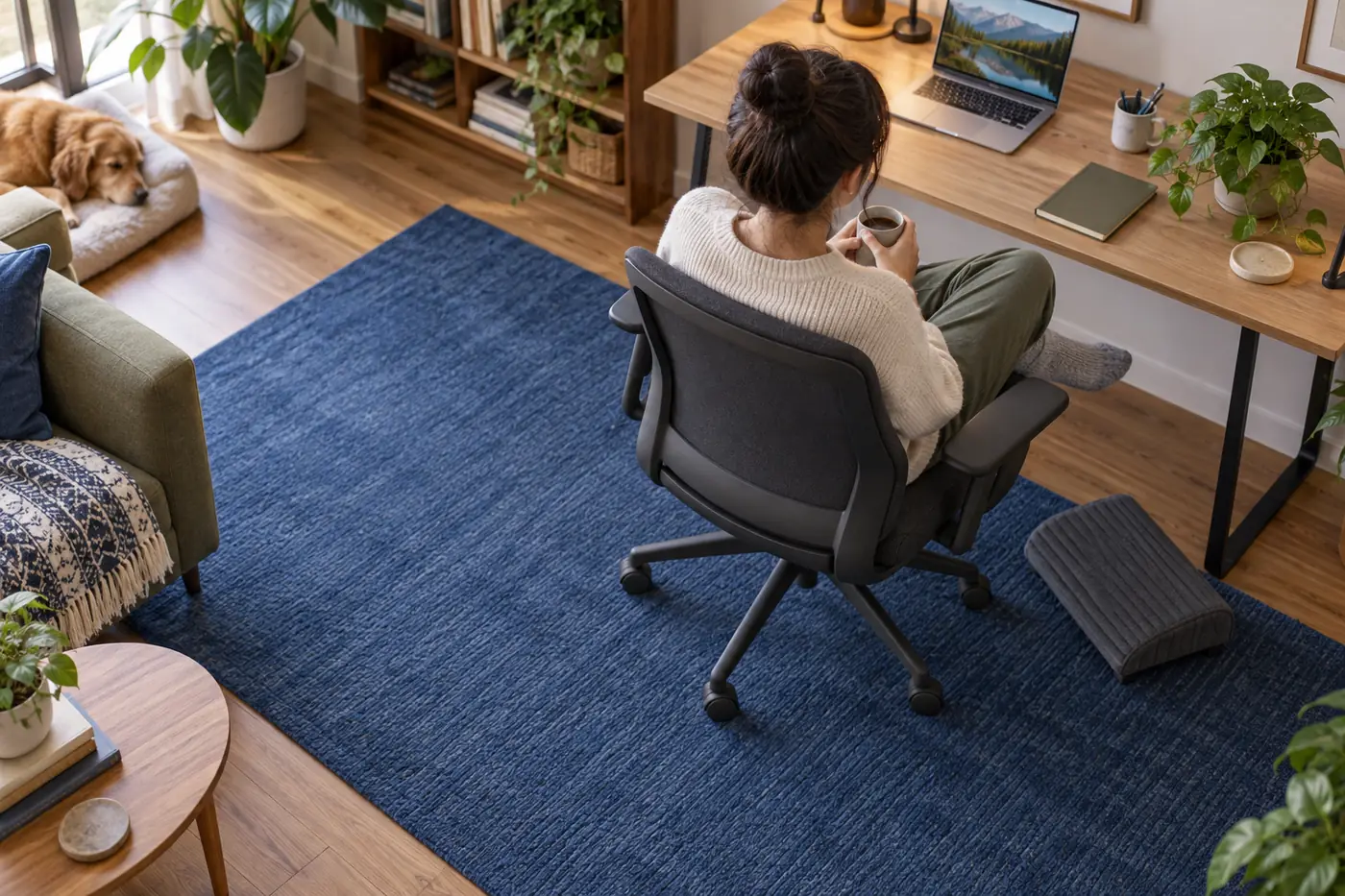
When one leg comes onto the seat, your hip height and torso angle can change a little. That can turn a formerly comfortable monitor into a screen that feels low or far away. Rather than leaning your neck forward, keep the screen where it works for the position you use most and reserve cross-legged sitting for shorter reading, calls, or thinking intervals. A monitor arm or a modest keyboard tray can provide flexibility without making the chair do all the ergonomic work.
Floor conditions matter whenever you rotate back to both feet down. A thick rug can slow casters, while a loose edge can make the chair feel less predictable during a shift. Keep the area beneath and behind the chair clear of bags, cables, and footrests that migrate. The goal is a smooth transition out of the posture, particularly after a long concentration block when coordination is not at its sharpest.
06 / Use comfort information without overpromising
No chair can make every cross-legged position appropriate for every body or workday. Numbness, lingering joint pain, or a feeling that you must brace against the desk are useful prompts to change position, take a break, or seek individualized guidance when needed. A buying guide can describe fit variables, but it cannot diagnose discomfort from afar. Treat the chair as one part of a broader workstation and movement routine.
The most durable decision often comes from a simple record. Write down the chair’s usable flat width, the depth setting you tested, whether the arms cleared the desk, how the front edge felt, and what happened when you returned to neutral. That note helps you compare candidates honestly. It also prevents a familiar trap: mistaking a pleasant first five minutes for evidence about a full work session.
A five-minute fitting pass
Decision checklist
- Find the flat sitting surface, then estimate its usable width with your own clothing and posture in mind.
- Move from both feet down to one folded leg and back without catching on the front edge or armrest.
- Bring the chair to your real desk height and confirm that arms, knees, and keyboard reach still cooperate.
- Test a small tilt or depth adjustment, then verify you can return to a stable neutral working position.
- Check the return window and keep notes on the fit variables that affected your decision.
That sequence does not produce a universal “best” chair. It produces a clearer picture of whether a particular chair has enough adaptable space for your workday.
Bring the same questions to every candidate. A chair that is a little narrower on paper but easier to approach, adjust, and leave may be the better working choice than a visually larger chair whose shape limits the places your legs can go. Fit is a relationship among seat, desk, floor, and routine; it is not a single specification.
Continue the independent reading sequence
For chronological context, open the preceding publication in the sequence. It covers a different workspace question; this sequence link does not imply topical relevance or provide evidence for the chair-fitting guidance above.